
Mileage tracking for employers
✔ Automatic business and private trip registration
✔ Privacy controls for employees
✔ Roles and permissions for managers
✔ Reports ready for finance and tax administration

Company mileage records without compromising employee privacy
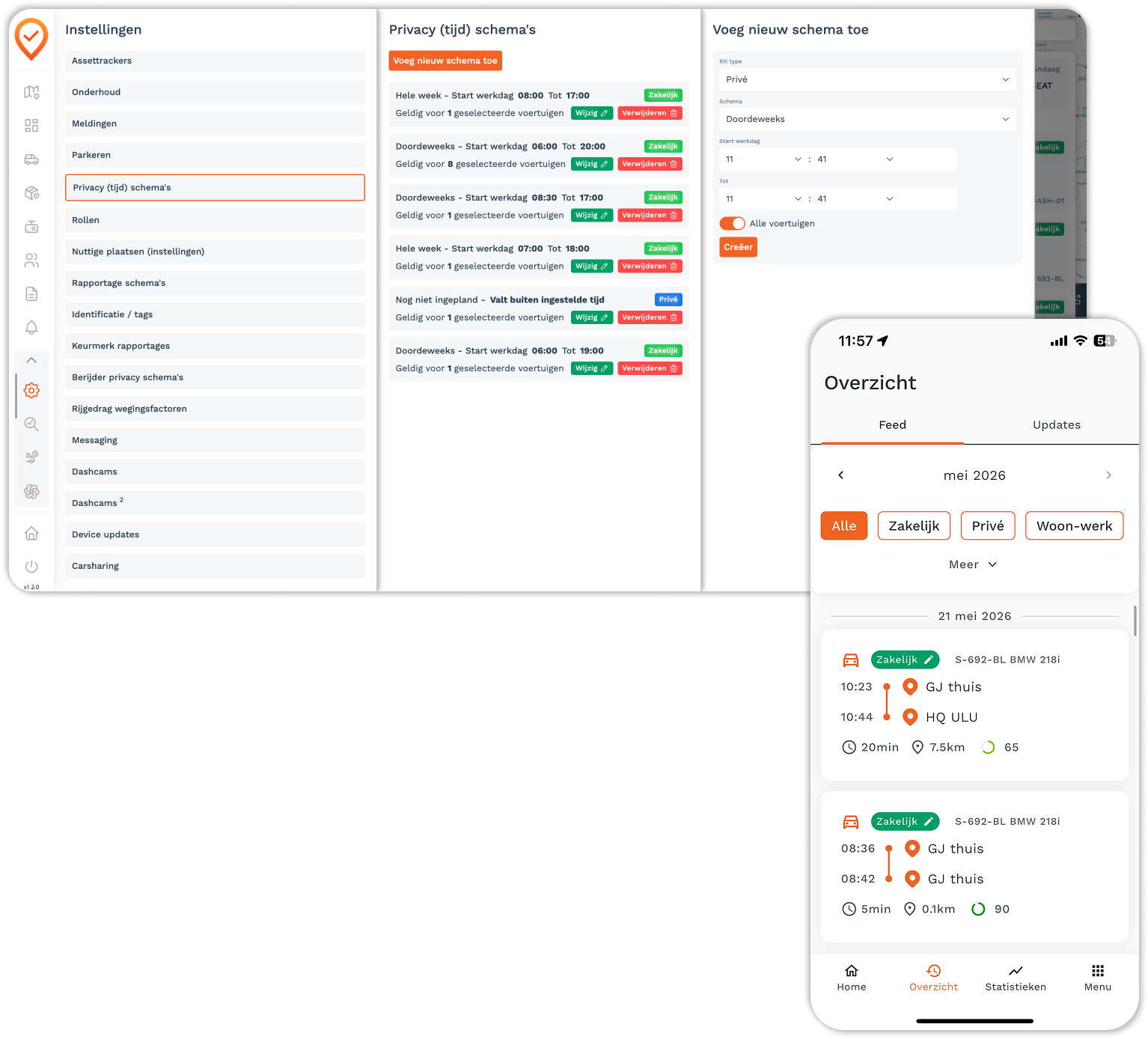
Cartracker automatically records trips for employees with company vehicles. Drivers manage business and private use in the app, while roles, permissions and privacy settings determine what the organisation can see.

1. Enter the car details
Cartracker holds the Quality Mark for Trip Registration Systems (KRRS) — the official quality label for automatic trip registration in the Netherlands. Every trip is recorded with start and end address, mileage, and trip type: everything the Tax Authorities need for an inspection. For lease drivers and owners of a company car, this means: no discussions afterwards, no reconstructions in Excel, and proof that your trip registration is watertight.

Fully automatic, no hassle
Get in, drive, done. The Cartracker app automatically records every trip — even if you forget to turn it on. Need to switch between business and private afterwards? One tap. This way, you maintain control over your records, without it taking up time.

Save time and money
Less administration means fewer errors and fewer hours of correction work. On top of that, you gain insight into driving behavior, vehicle usage, and costs, allowing you to drive efficiency. In combination with parking without transaction fees, Cartracker pays for itself for many users in no time.

Clear business records. Private trips stay private.
Watertight mileage records with a fiscal quality mark — set up in just a few clicks.

100% watertight trip registration with an official quality mark
Cartracker is certified by the Foundation for Quality Mark for Trip Registration Systems (KRRS), an independent organization that, in cooperation with the Dutch Tax Authorities, assesses trip registration systems for reliability, privacy, and fraud resistance. If you choose Cartracker with installation, your system is immediately certified — all trips are recorded automatically and according to official guidelines.
The result: mileage records that are always ready for inspection, without you having to do any work. No discussions afterwards, no risk of errors, no uncertainty.

Per ride
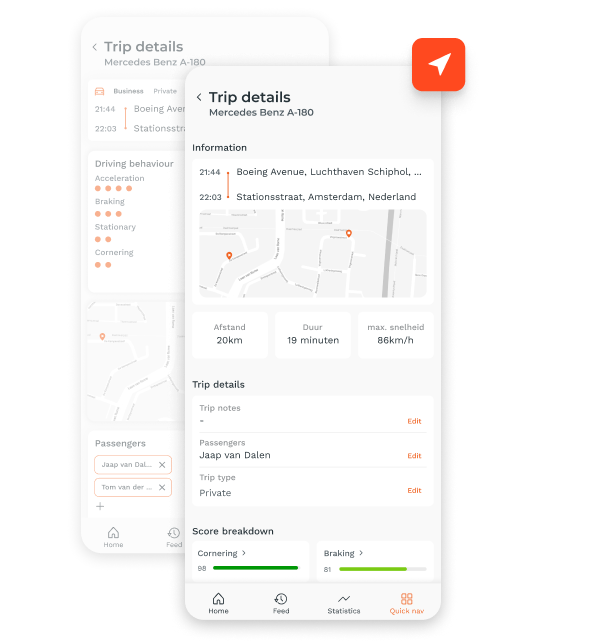
With Cartracker, all your trips are in one system — whether you have one vehicle or manage an entire fleet. For every trip, the start and end location, distance, duration, and route are automatically recorded, providing a complete and reliable mileage overview.
You can export reports in Excel, PDF, or CSV, or have them sent to you automatically — weekly, monthly, or at a frequency that suits you. One central place where everything is ready for you.
.webp)
The most important tax rules that are often confused
Employees manage business and private trips in the app or portal. Roles, permissions and privacy settings control which data managers can access, helping employers balance operational insight with employee privacy.
Clear records for the organisation, control for the driver
Trips and mileage are recorded automatically, while drivers can manage private and business classification. Reports can be generated for finance, payroll or tax administration without maintaining separate spreadsheets.
Try it free for 30 days
Build your mileage log automatically.
Cartracker automatically logs your trips and provides you with a clear overview that you can review, categorize, and export. This way, you no longer have to reconstruct missing trips at the end of the year.
Start your trial period, order now!✓ No upfront payment ✓ From €7 per month thereafter ✓ Cancel monthly
Frequently asked questions
Frequently asked questions about mileage logging and the Tax Authorities
The most important tax-related questions regarding the 500 km rule, mandatory trip details, commuting, VAT, and automated mileage logging.
What information is mandatory in a mileage log?
You must record details such as the make, model, license plate, and usage period of the vehicle. For each trip, you must log the date, the odometer readings at the start and end, the departure and arrival addresses, and whether the trip was for business or private purposes. Additional information is required for non-standard routes or private detours.
When am I exempt from paying the tax addition?
If you drive no more than 500 private kilometers per calendar year and can prove it, no tax addition is required. A complete and accurate mileage log is the standard way to provide this proof.
Is commuting considered business or private use?
For income tax and payroll tax purposes, commuting is considered business use. For VAT purposes, however, commuting is considered private use.
What happens if my mileage log does not meet the requirements?
If you cannot sufficiently prove that you have stayed within the 500 private kilometer limit, the tax adjustment or additional tax liability may still apply. The tax authorities also note that discrepancies during audits can lead to additional tax assessments.
Am I allowed to classify business and private trips after the fact?
Yes, as long as the final records are complete and verifiable. In Cartracker, you can classify automatically recorded trips as business or private and add additional information where necessary.
Can I export my trip registration for audits or my accountant?
Yes. You can export trip data and reports from Cartracker for your own records, your accountant, or a tax audit.
Is there a simplified trip registration?
In specific situations, yes. For employees who make many trips per day in a commercial vehicle due to the nature of their work, the tax authorities allow a combination of simplified trip registration and business addresses from project records, provided certain conditions are met.
Is trip registration also relevant for VAT?
Yes. With comprehensive mileage records, you can substantiate actual business and private use. For VAT purposes, commuting is considered private use.
What is a "Declaration of no private use of car"?
An employee with a company car who drives no more than 500 private kilometers per calendar year can request this declaration. The employee must be able to prove that this limit is not exceeded.
Do I need to record anything extra for a non-standard route?
Yes. If you do not take the most common route, you must specify the route taken in your trip registration.
Does Cartracker meet the requirements for trip registration?
Cartracker automatically records trip data and holds the Keurmerk RitRegistratieSystemen certification. You remain responsible for accurate classification and maintaining records that align with your tax situation.